As you all know, I recently exhibited Dare the Monkey at a major UK games expo. I know what you’re all thinking: “Didn’t that cost you a small fortune?” Well to be honest, I too had always assumed that the expo scene was way out of my league but as it turns out it’s more than possible to show off your indie game at these public events even when you’re on a very tight budget. Here’s my very quick guide on how to be cost effective when exhibiting at a games expo.
How Exhibiting at Expos Can Help Indies
Recently I decided to take the bold and nerve wracking step of exhibiting Dare the Monkey at a major UK gaming exposition. At the time of the decision I’d only actually built three of the game’s levels, there was no music or sound effects either, and there wasn’t even the slightest hint of a user interface to hold it all together. So why on earth would I even contemplate showing off a very incomplete game at an expo?
Dare the Monkey at PLAY Expo Glasgow
I’m delighted to announce that I’ll be showing off Dare the Monkey at PLAY Expo Glasgow on 11-12th of June. So please come along to my booth and try out a few of the game’s levels.
It’ll be Dare’s first public outing so all feedback will be most welcome. In fact, chocolate coins and banana sweets will be on offer in exchange for your honest opinion. See you there!
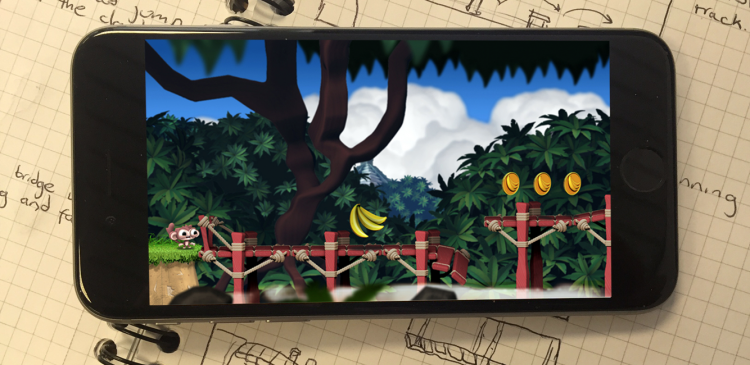
Starting with a Sketch #6
Yup, it’s time for another one of my twenty second sketches followed by the final visual. This time we have a broken bridge situated in a dense jungle.
Be Prepared to Learn New Skills
Being an indie developer can be hard work even if you have a small team working with you. As talented as everyone is there will likely be gaps in their knowledge and skill set. For example, you may have an artist on your team that’s great at illustration but might not be an animation specialist or have any graphic design experience. They may also be comfortable in 3D as opposed to pixel art.
Test Early and Frequently
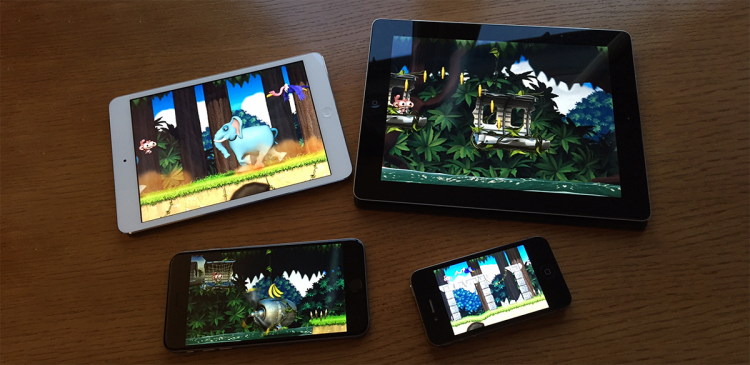
When making a mobile game it’s important you test on physical devices as early as possible and frequently. I can’t emphasise that enough. It’s all too easy to rely on whatever simulator your development tool provides and assume that everything will just work when you eventually stick a build onto a device. If that’s your plan then you’re asking for a world of pain later on.

Adding Variety to Your Platform Slices
Each of my game’s levels are built mostly using bitmap slices. They’re basically vertical slices that can be stitched together to create a surface area for our little monkey hero to run along. The image below shows a single platform slice being used repeatedly to create the ground from my Jungle levels.
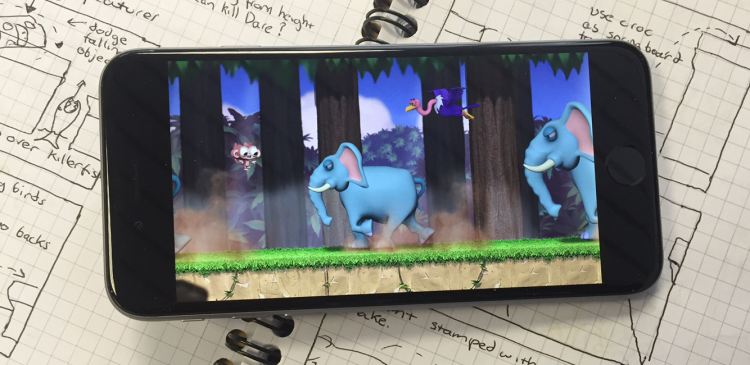
Starting with a Sketch #5
If you’ve been following this blog then you’ll already know that Dare the Monkey is heavily inspired by 90s arcade machines and console games from the golden 16-bit era. Those who’ve played early demos of it have mentioned that the visual style and gameplay elements remind them of classics such as Sonic the Hedgehog and Donkey Kong Country. However I’ve also borrowed ideas from lesser known games that time has forgotten.
There Will Always Be Someone Better Than You
I’m really chuffed with how Dare the Monkey is shaping up. I’ve poured my heart and soul into the game’s visuals and generally speaking I think the effort has been worth it. However, I must confess to feeling the odd jealous pang when I look around at the amazing work being produced by other app developers. Many modern apps have artwork of the highest quality that’s truly inspiring to look at. Do I let this get me down and just throw in the towel? A few years ago I probably would have but these days I just let it go. I’ve learned to remain confident and motivated by focussing more on what I’m doing and a little less on what others are doing.
The Right Tools for the Job: Sculpting
I’ve learned to use a huge number of software packages over the years but by far my favourite has to be Pixologic’s ZBrush. In fact, it’s an integral part of my art pipeline. Not only is it a stunning piece of software but it’s also priced fairly competitively when compared to the likes of Autodesk’s Maya. On top of this Pixologic have been very generous to their user base, offering every single update free of charge. You also get access to world class video tutorials (no need to purchase expensive third-party tutorials) and a thriving community of experts who’re only too happy to share their knowledge, all directly from the Pixologic website. Take a look through the ZBrush gallery page and you’ll see that it’s getting used at the very highest levels within the games and movie industries.
Dungeons of Doom on iOS and WatchOS

Dare the Monkey on iOS, watchOS, and tvOS
Recent Comments